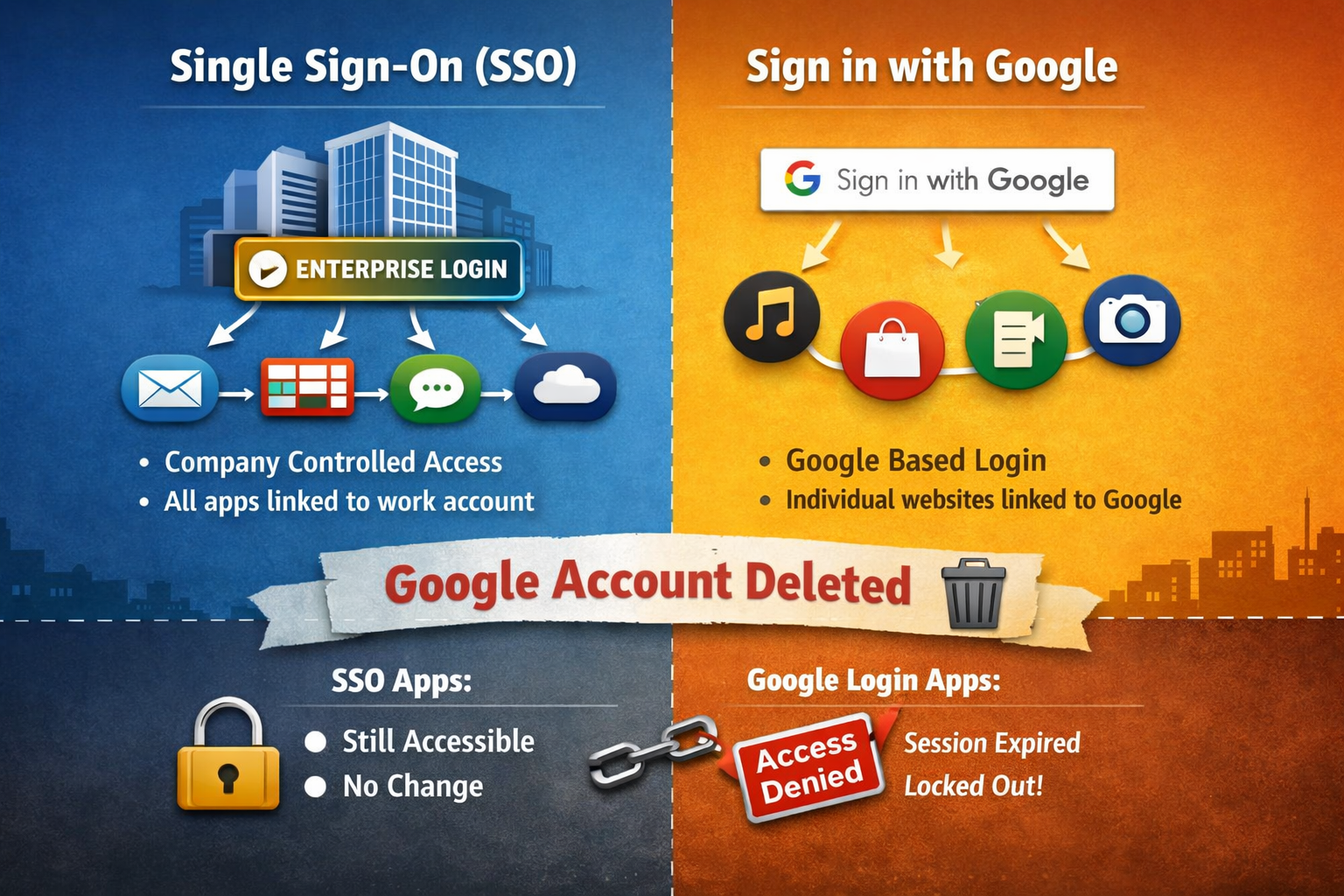
Most of us click “Continue with Google” without thinking twice. It’s fast. It’s convenient. It feels safe.
Until one day you wonder:
What happens if I delete my Google account while I’m still logged into other websites?
Do all those apps log me out instantly?
Do I lose access forever?
Is Single Sign-On (SSO) the same thing as “Login with Google”?
Let’s unpack this with real-world behavior.
Two ideas that sound the same, but aren’t
1. Single Sign-On (SSO)
SSO is usually a company-controlled login system.
You sign in once using your work account, and that same login gets you into:
email
project tools
internal dashboards
HR systems
The company owns the identity.
If they disable your account, access to everything disappears instantly.
Think of it as one office ID card that opens every door in the building.
2. “Login with Google”
This is different.
Here, websites are saying:
“Google already knows who you are. We’ll trust Google.”
So instead of creating a new username and password, the site just asks Google to vouch for you.
It’s a shortcut, not a shared system.
Google lets you in — but the website then creates its own session for you.
The key misunderstanding most people have
People assume:
“If Google controls my login, Google controls my session.”
That’s not how it works.
Google is involved only at login time.
After that, the website runs the show.
The real scenario: deleting your Google account while logged in
Let’s say:
You logged into two different websites using Google
Both sites are still open in your browser
You now delete your Google account
What happens immediately?
Nothing.
You are not instantly logged out of those websites.
Why?
Because:
The websites already issued you their own session tokens
They don’t keep checking Google in real time
They have no idea your Google account was deleted
Google was just the gatekeeper at the door.
Once you’re inside, the website doesn’t care where the key came from.
What happens next (this part matters)
You stay logged in:
until the site’s session expires
or until you manually log out
or until cookies are cleared
That could be:
hours
days
weeks
sometimes months
But once that session expires…
You’re done.
The site will ask you to log in again.
You choose “Login with Google.”
Google no longer exists.
No verification. No access.
Can the account be recovered?
That depends entirely on the website.
You’re safe only if:
the site allows setting a password later
or offers email-based login recovery
or supports linking another login method
If the site relies only on Google login and you didn’t add a backup method: ACCESS IS GONE.
Not suspended.
Not delayed.
Gone.
The uncomfortable truth
“Login with Google” is convenient, but it creates identity dependency.
You’re outsourcing your digital identity to a third party.
Delete that identity, and anything built on top of it collapses, not immediately but after the session expired.
Practical takeaway
If you use “Login with Google” anywhere important:
banking dashboards
developer tools
content platforms
paid services
Always add a backup login method while you still have access.
Convenience is great.
But convenience without ownership is a liability.